The SplitFast Results Portal is your command centre for meet management, athlete results, club records, season points and volunteer coordination — accessible from any web browser.
The Results Portal at results.splitfast.com is the web-based hub that ties the entire SplitFast system together. Club administrators use it to create meets, build event programs, manage volunteers, publish results, and track records — all without installing any software.
Coaches and athletes access it too. Every member can log in to view their personal results history, season stats and personal bests, while the free Club Connect app delivers the same information directly to their phone.
Log in at results.splitfast.com →
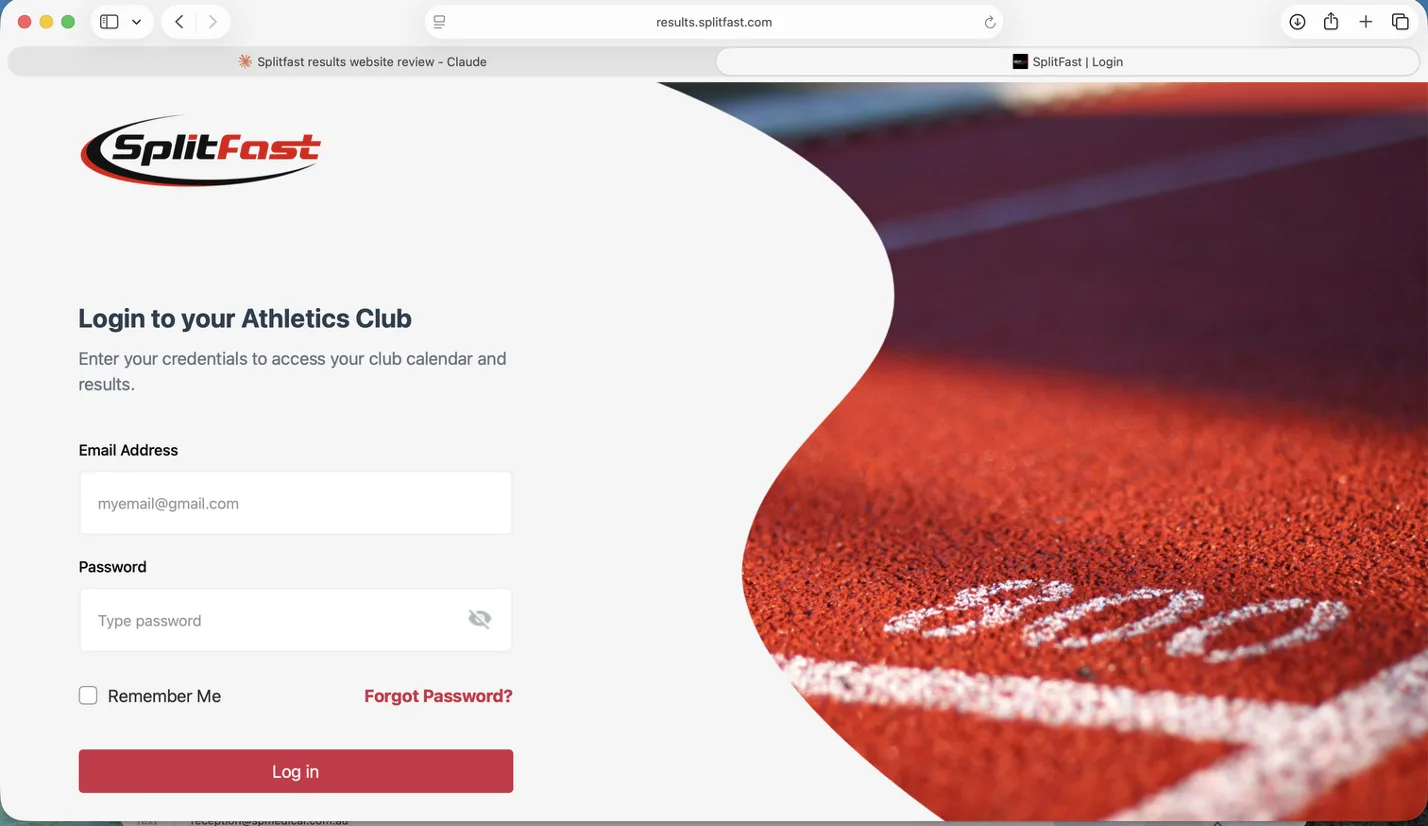
Login screen
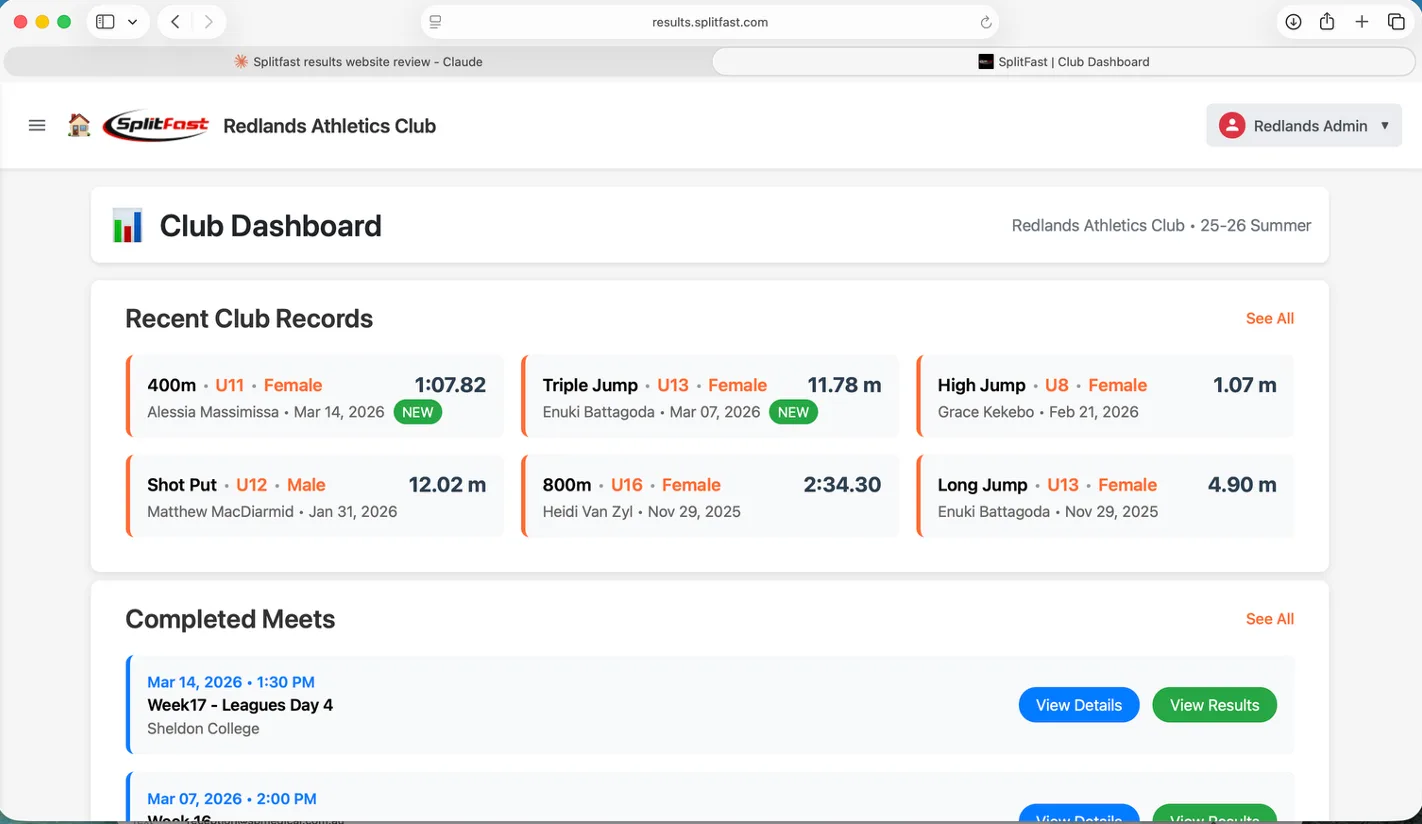
The Club Dashboard is the first thing administrators see after logging in. It surfaces the most important information from the current season — recent club records, completed meets, and upcoming events — with one click through to full details.
The dashboard shows Recent Club Records with athlete name, age group, gender, result, and date — with NEW badges highlighting records set in the last meet. Below that, Completed Meets and Upcoming Meets give instant access to any meet's details or results.
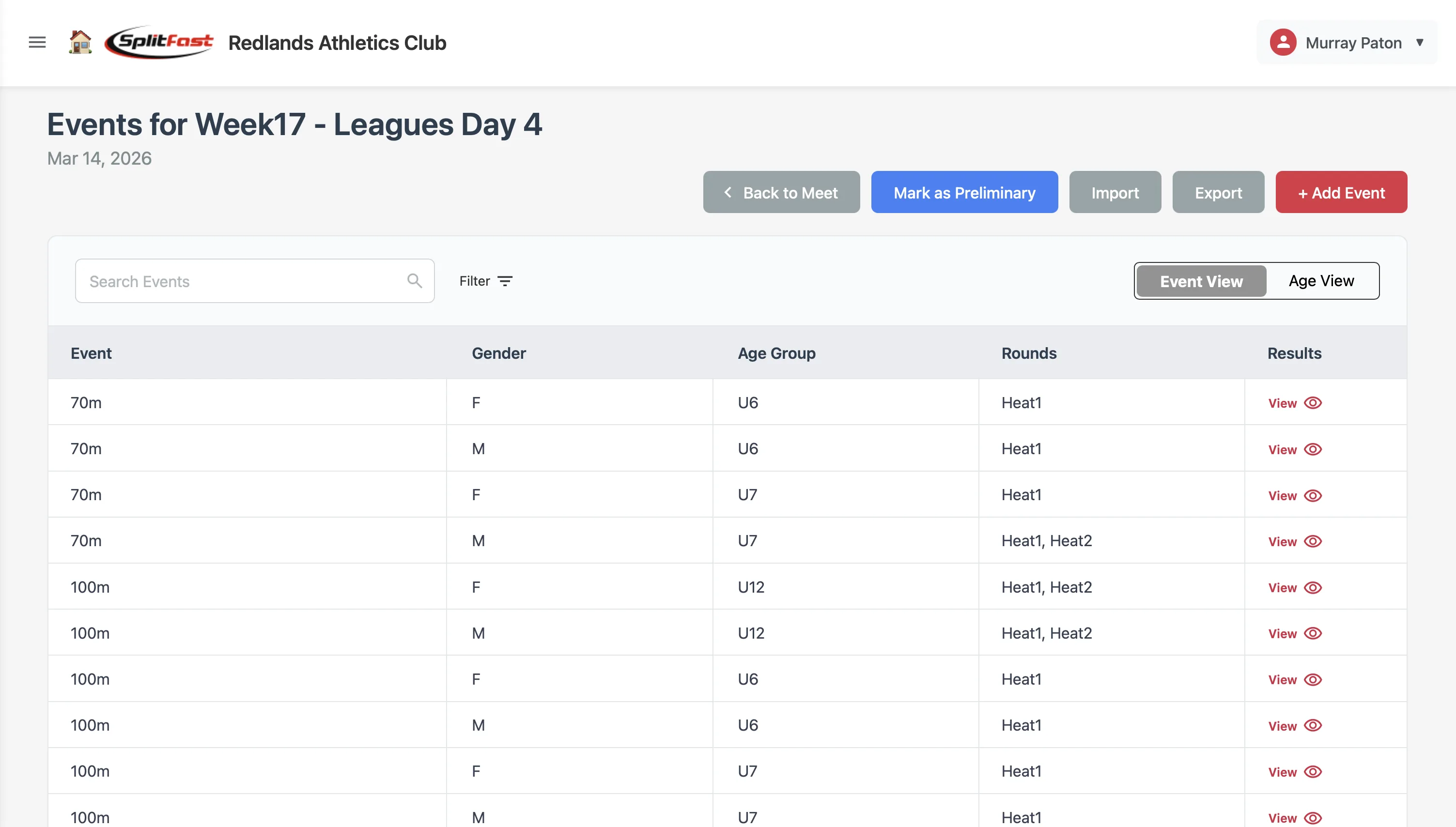
Build a complete meet in the portal before meet day — set the event program, configure season points, assign volunteer roles, and manage status. Everything the timing app needs is pulled from the portal automatically.
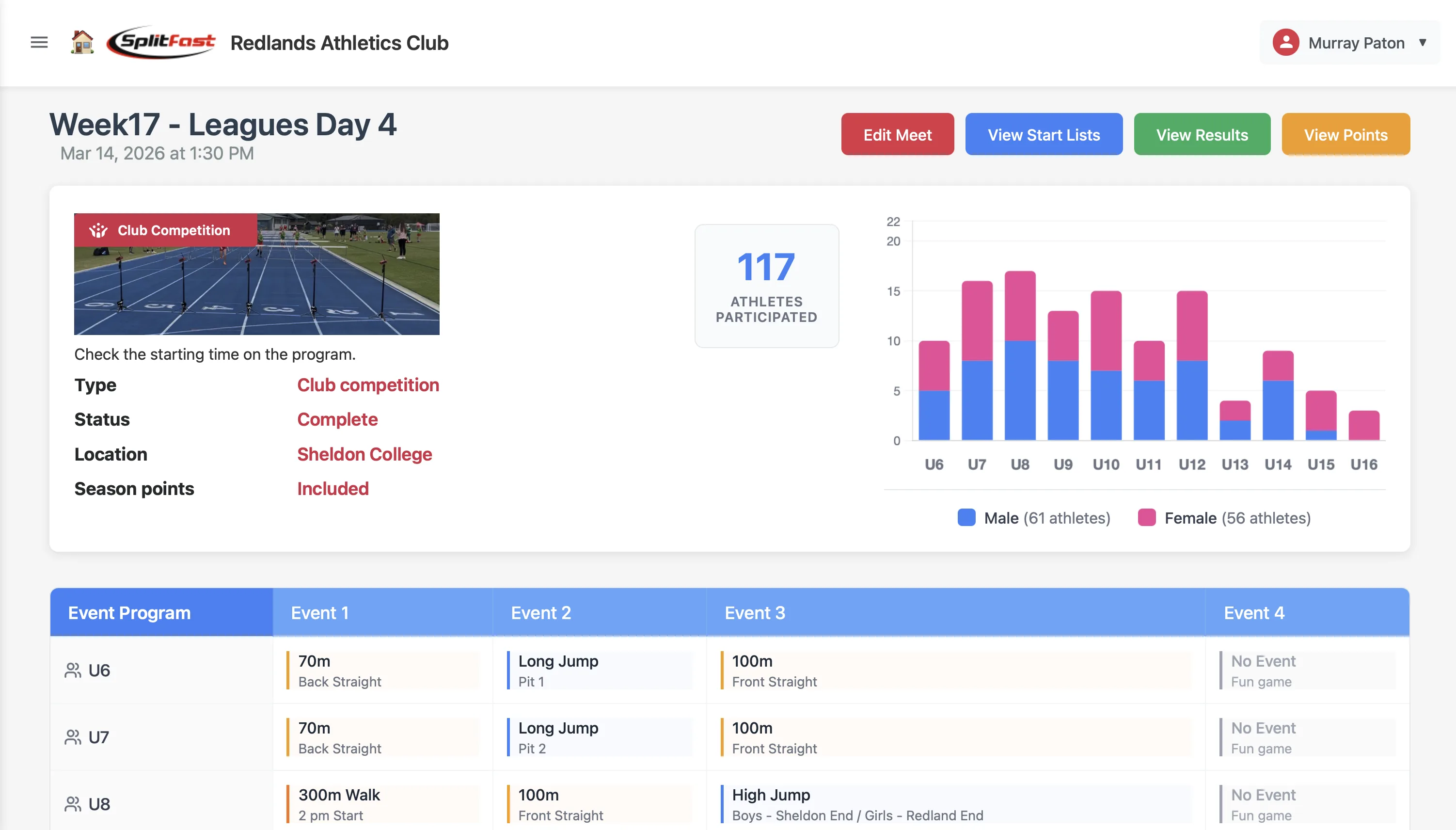
Once a meet is created, the Meet Detail page becomes your dashboard for that day. See how many athletes participated, review the full event program by age group, and jump to start lists, results or points with a single click.
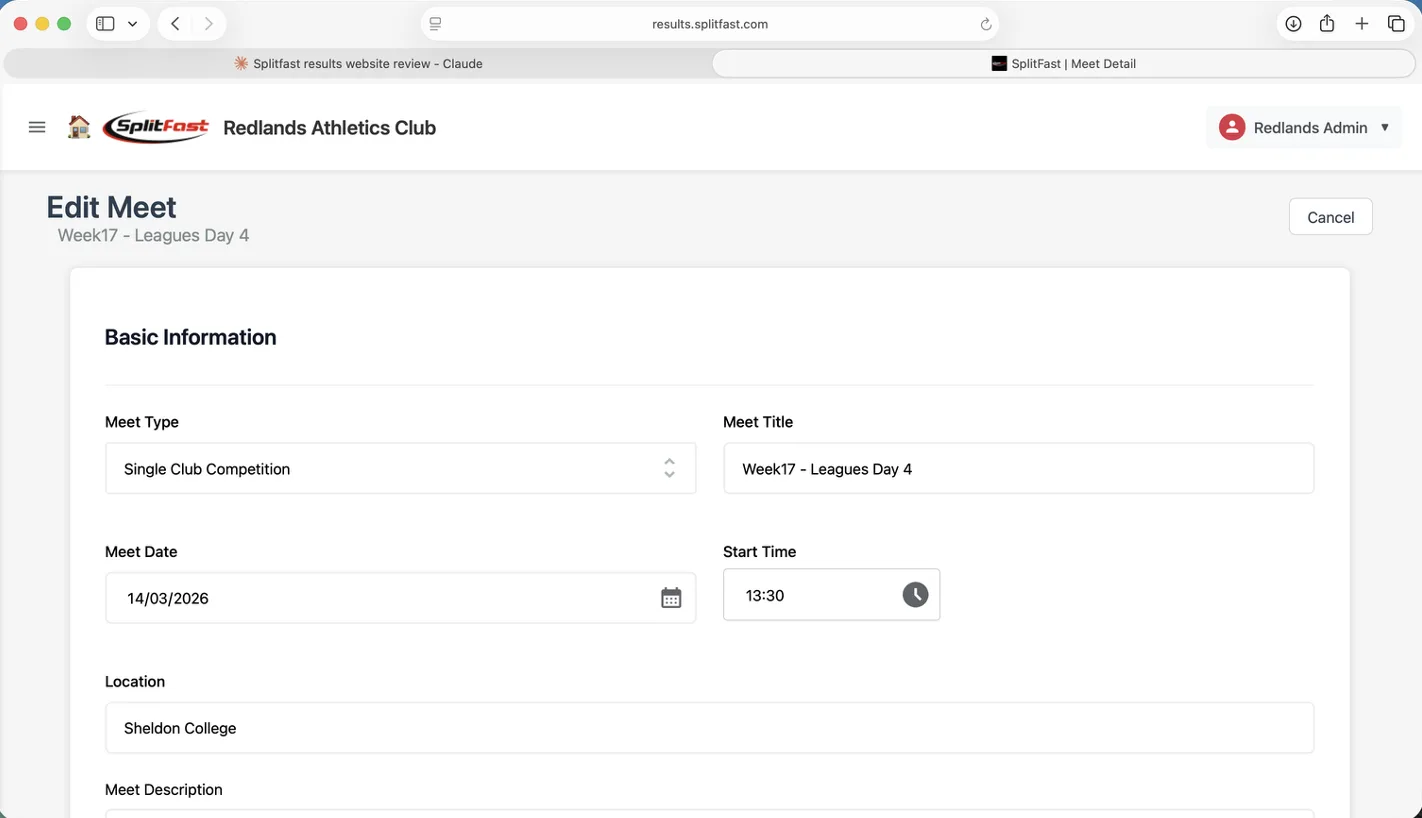
The Edit Meet form covers everything needed to configure a meet from scratch or update an existing one. Basic information, the event program builder, season points settings, High Jump configuration and volunteer requirements — all in one scrollable form.
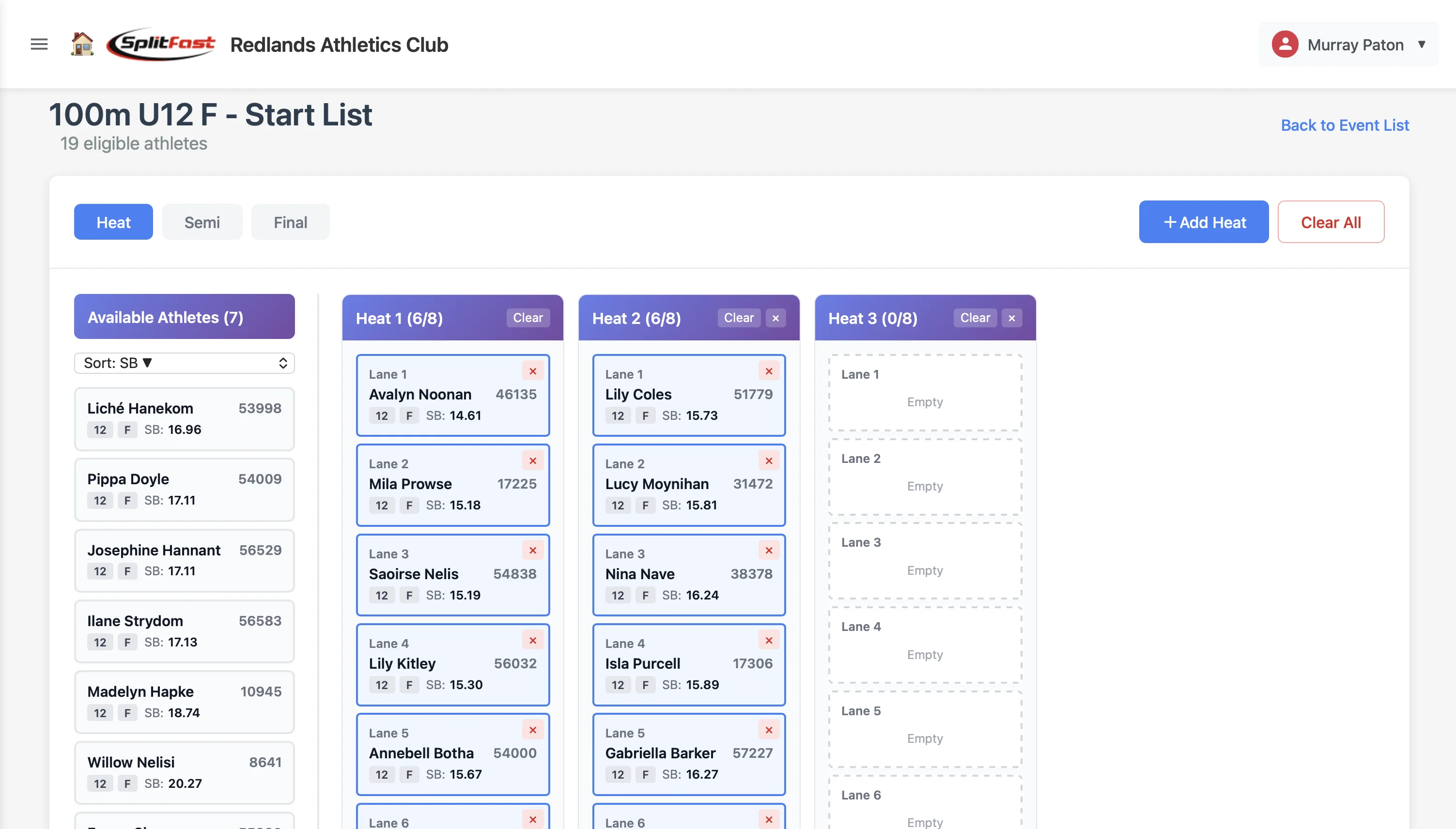
Drag athletes from the Available Athletes panel into heats and lanes before meet day. The portal handles heat planning in the browser — the timing app picks it up automatically on the day.
The start list editor shows all eligible athletes in a panel on the left — sortable by Season Best, Name, Age or Bib. Drag athletes into the numbered lanes in each heat. Add heats with a single click, clear them or delete extras as needed.
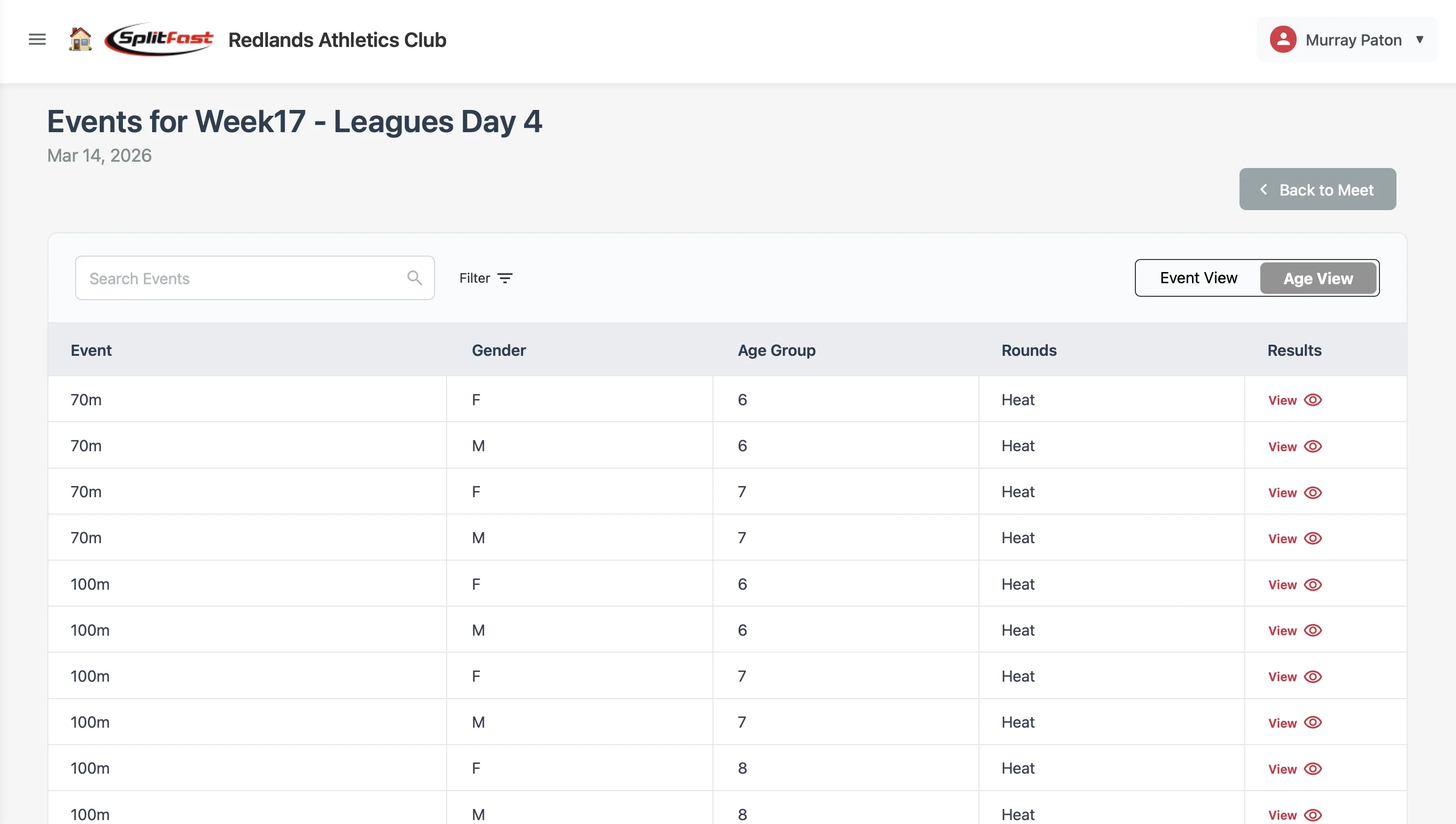
Results flow from the timing app to the portal the moment they are published. Administrators review, validate and finalise results in the portal before they become official. Athletes and parents can view results on the web portal or via the Club Connect app.
Age Results view — ranked within age group
Heat Results view — with lane and heat tabs
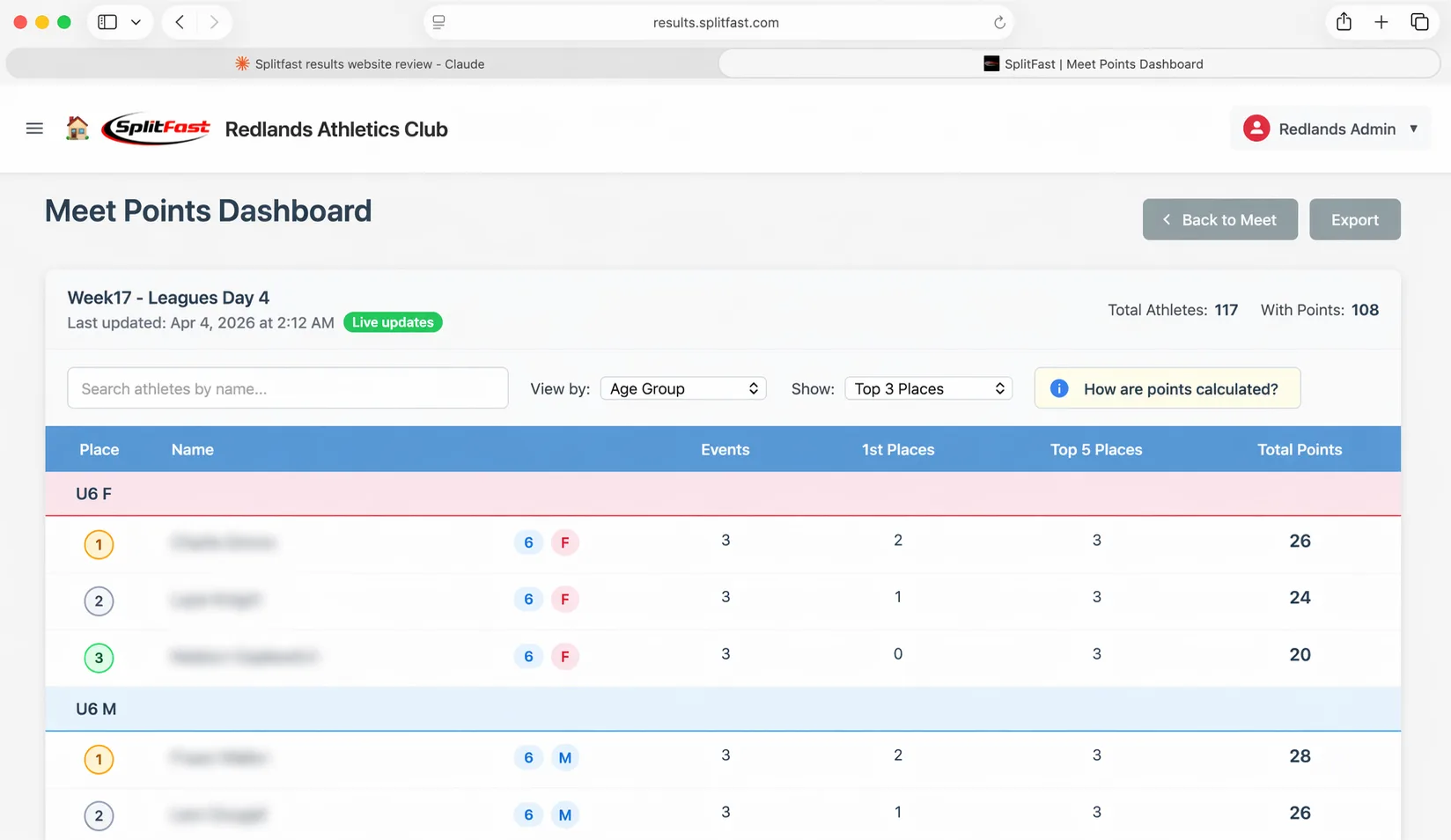
The Meet Points Dashboard updates in real time as results come in on meet day. Athletes earn points for place finishes within their age group. The leaderboard keeps everyone — athletes, parents and coaches — engaged from first event to last.
Points are calculated automatically based on age-group finish position. The leaderboard groups athletes by age group with place medals for the top three. Administrators can customise the points scale per meet.
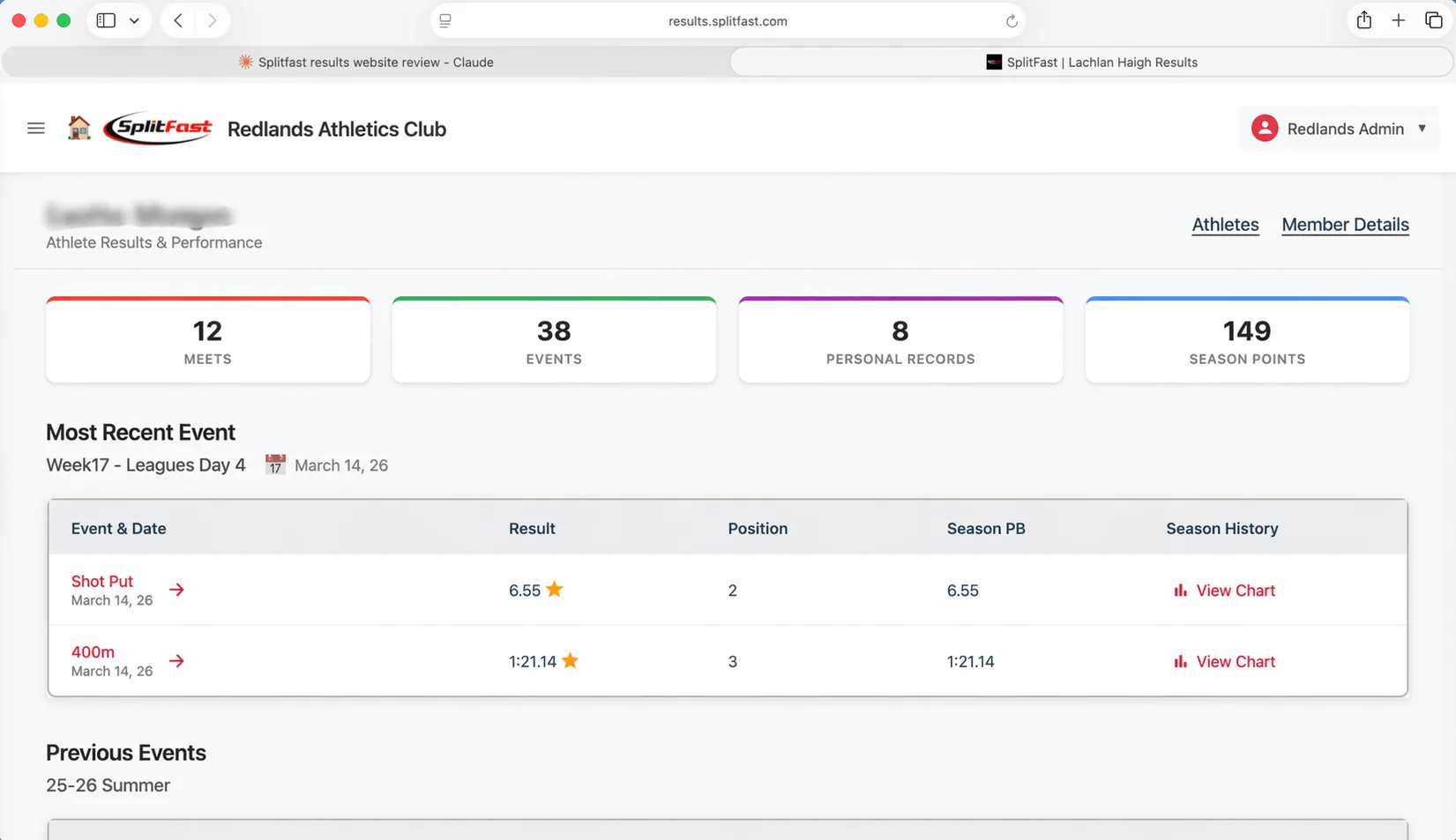
Coaches and administrators can look up any athlete in the portal and see their complete season picture — meets attended, events entered, personal records, season points, and a performance chart for each event.
The athlete summary page opens with four tiles showing the season in numbers: meets attended, events competed, personal records set, and total season points. Below that, the most recent meet results appear first, followed by the full previous events history.
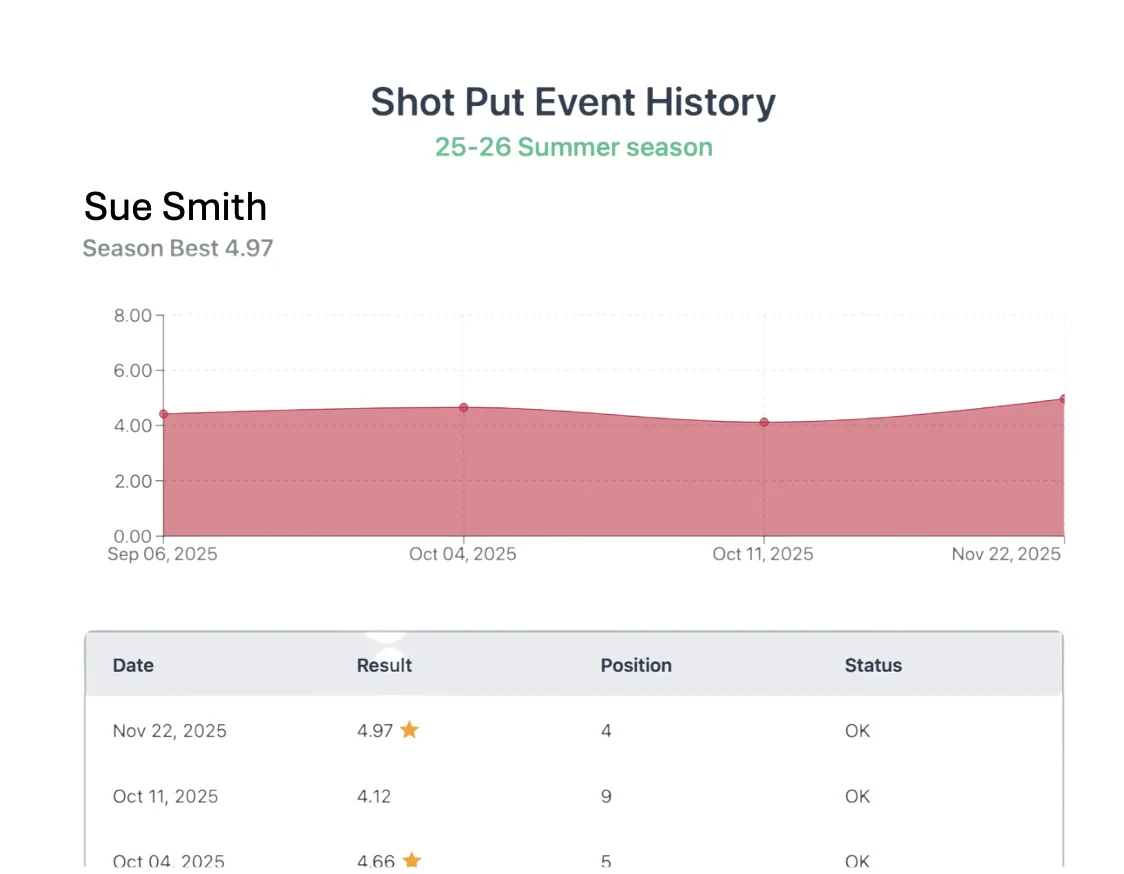
Clicking View Chart for any event opens an interactive performance chart showing results plotted across the full season. Hover on any data point to see the exact date and result. The season best is displayed below the chart for quick reference.
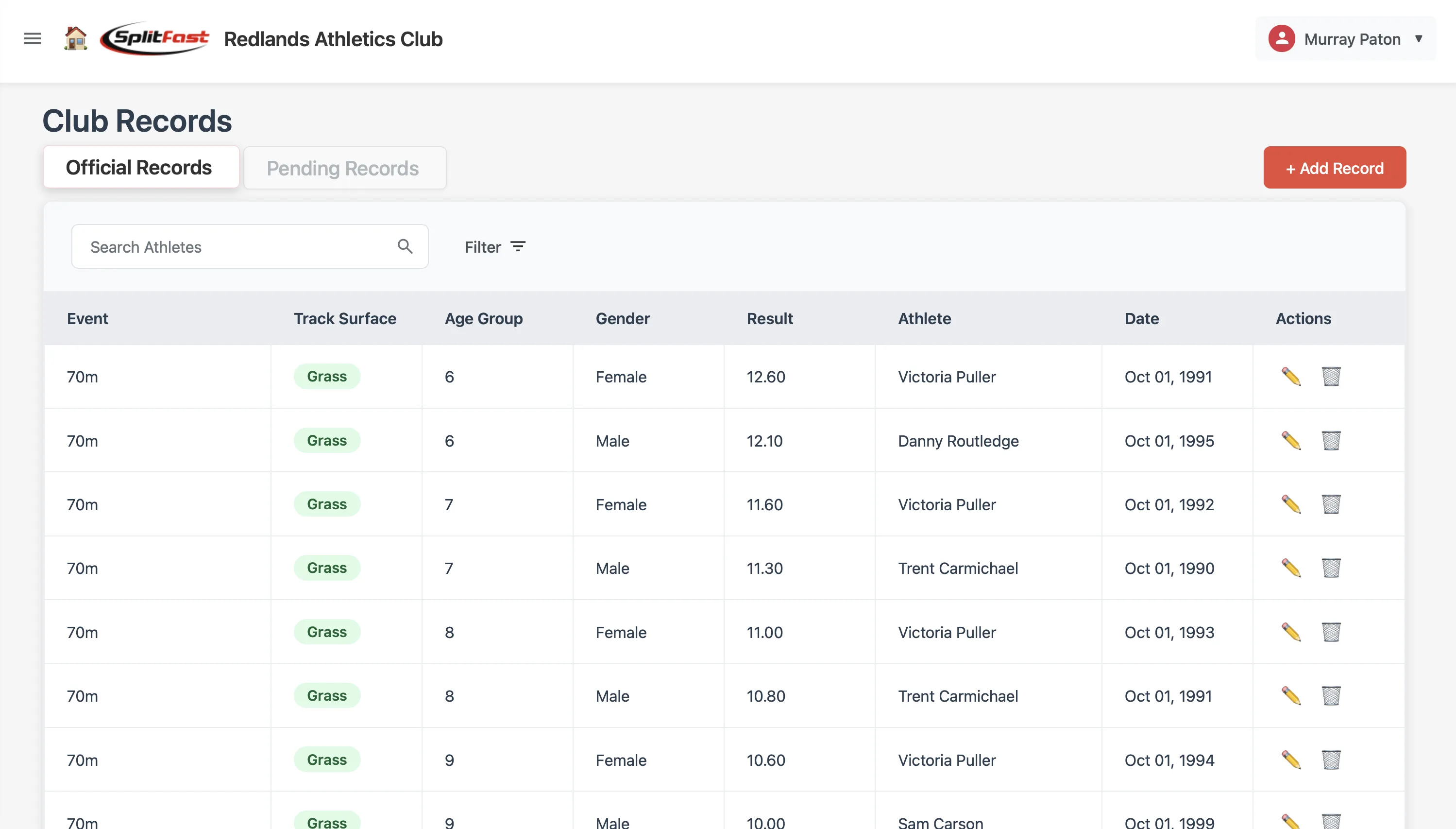
The portal tracks club records for every event, age group and gender. When an athlete beats a record during a meet, it appears as a pending record for administrator review and ratification — no manual spreadsheet maintenance required.
The Club Records page displays the official record holder for every event/age group/gender combination. Filter by event, gender or age group. Pending Records is a separate tab — administrators review and approve or decline each one before it becomes official.
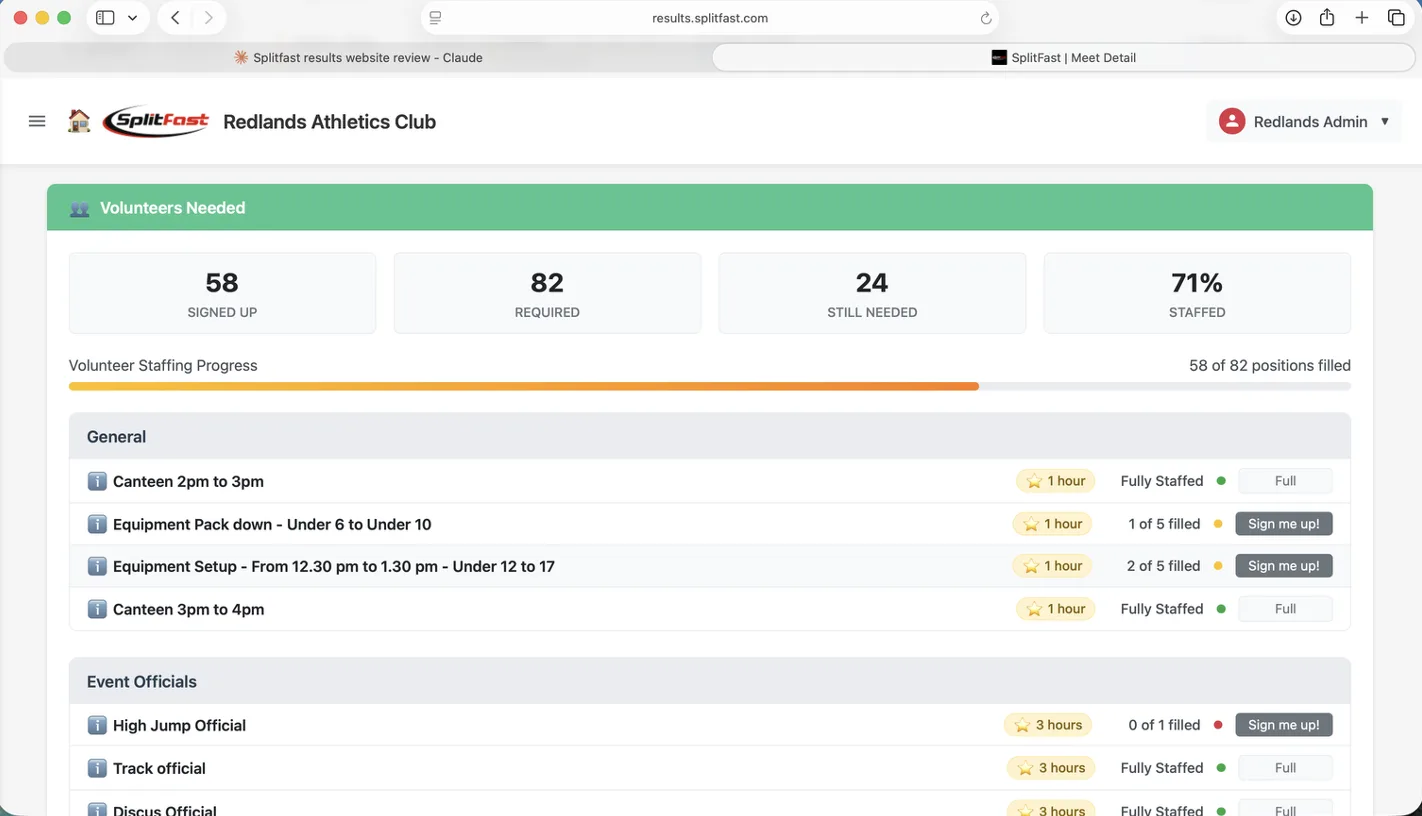
Define the volunteer roles your meet needs, then let families sign up themselves. The portal tracks signups in real time and shows at a glance how staffed each role is — so you know exactly what's filled and what still needs a volunteer.
Administrators set up volunteer roles in the Edit Meet form — General roles (canteen, equipment), Event Officials (discus, high jump, long jump), and Athlete Group roles specific to each age group. Members see the Sign me up button for open roles; full roles show Full.
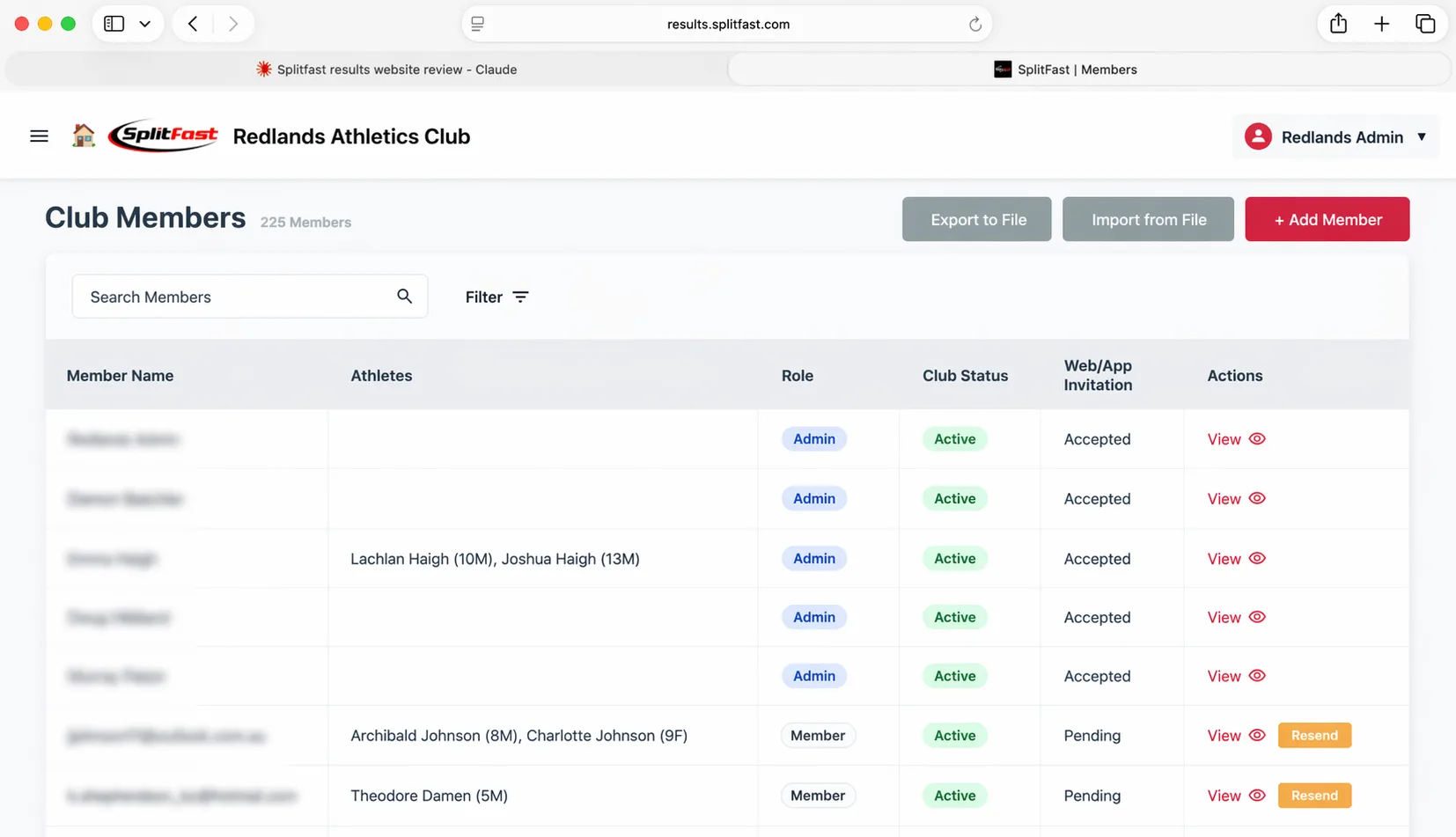
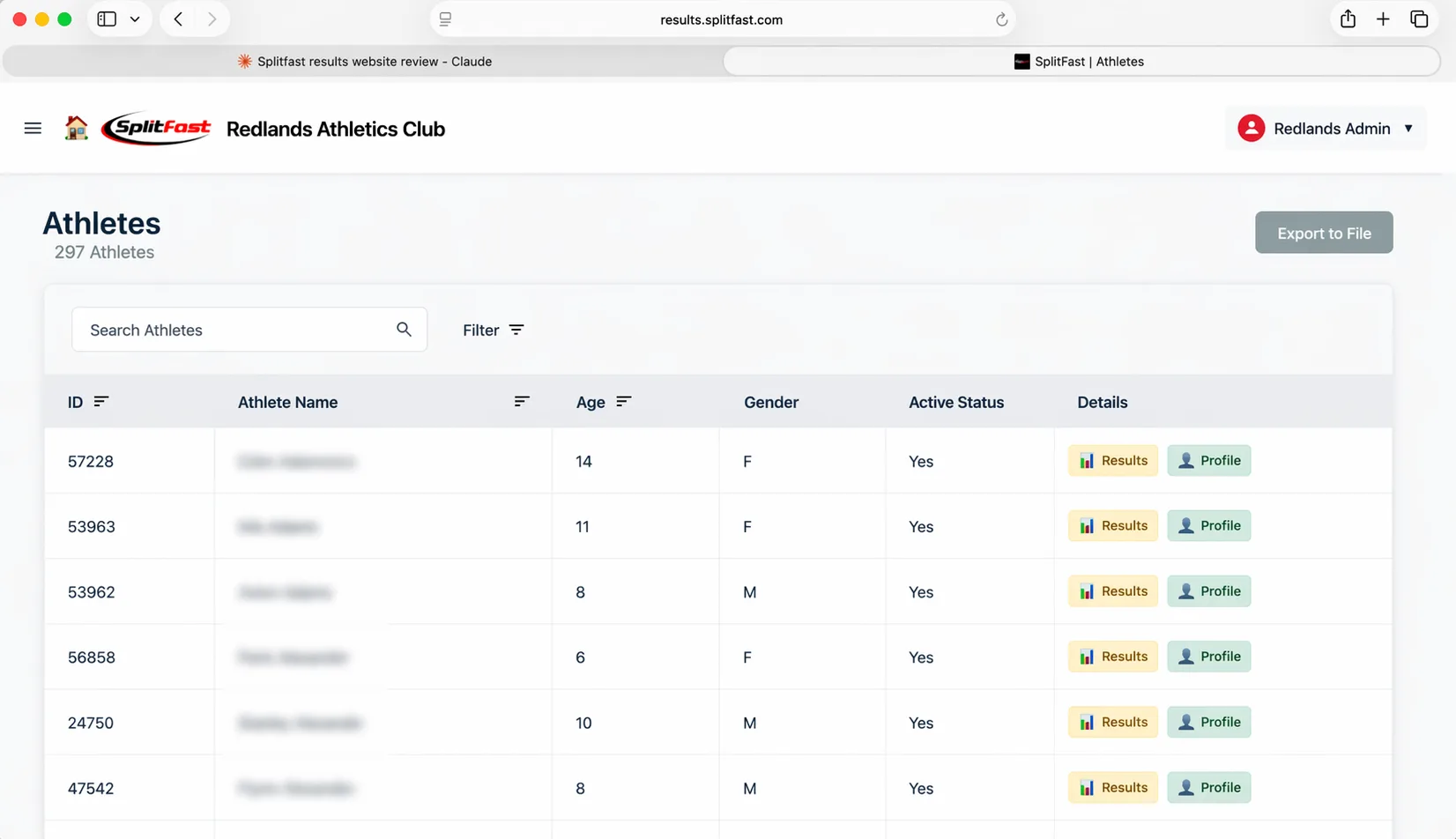
The portal separates Members (parents and guardians with portal access) from Athletes (the competitors themselves). Administrators can manage both, import from a file, and control access levels.
Club Members — parents, coaches and admins
Club Athletes — 297 athlete profiles
The portal includes a suite of reports covering athlete performance, season points, attendance, volunteer hours and more. Every report can be exported for your committee or governing body.
All athlete personal bests across every event for the current season — filterable by event, age group and gender.
Season points standings for every athlete, grouped by age group and gender across all meets marked for points.
Meet attendance records for the season — see which athletes attended how many meets and events.
Each athlete's best performance across all events in a selected meet — useful for recognising standout days.
How many athletes competed in each event across the season — useful for planning your program for next year.
Season-wide results for a specific event and age group — shows improvement trends across the full season.
Total volunteer hours contributed by each member across the season — all meets in one exportable report.
Club Settings is where you set the defaults your club runs on — information, meet defaults, achievement points, the results display, and club record ratification rules. Set these up once and they apply across every meet automatically.
Club name, logo, contact details and the authorisation code members use to join your club in the Club Connect app.
Default meet type and settings that pre-populate when you create a new meet — saving setup time every week.
Set the default points scale for place finishes (1st–5th) and performance bonuses — used unless overridden at the meet level.
Control how results appear to members — what columns are shown, and whether preliminary results are visible before finalisation.
The Results Portal is included with every Club Pack. Book a 15-minute demo and we'll walk you through the full workflow — from creating your first meet to publishing results.
Enter your credentials to access your club calendar and results.
Log in to the PortalNo account yet? Contact us to get your club set up.
The Results Portal subscription comes with every Club Pack purchase. Your club gets a dedicated portal at results.splitfast.com, with unlimited meets, members and athlete records.
The Results Portal is one part of the SplitFast ecosystem. Every component connects.